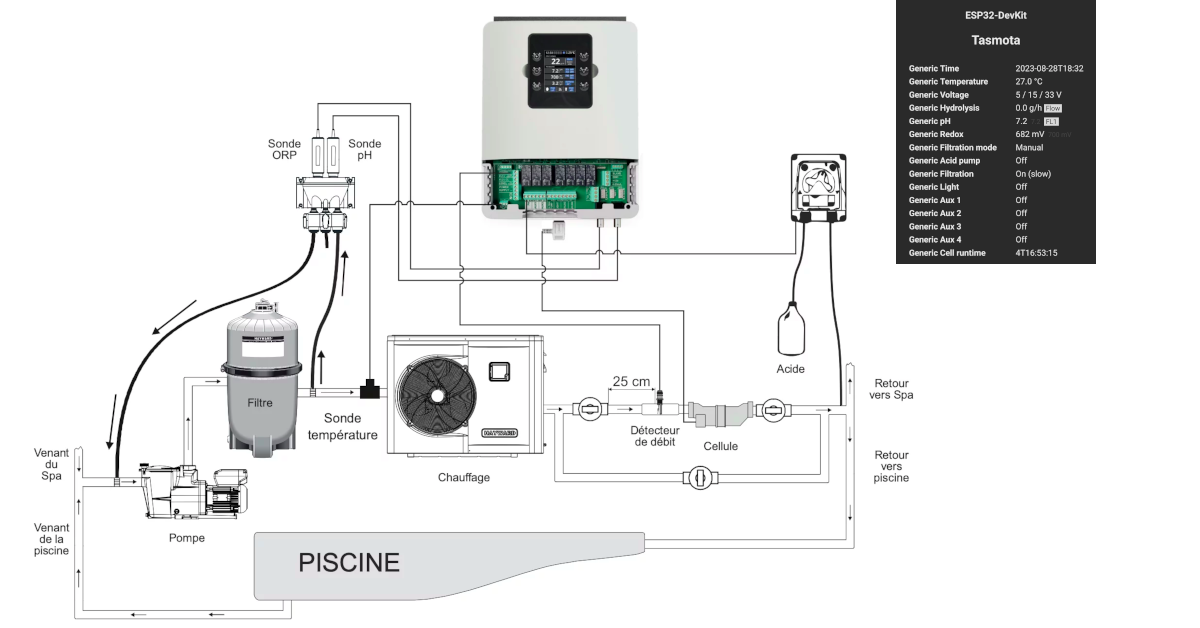
In order to get an Hayward Aquarite integration in Home Assistant with Tasmota we’ll go through several steps including wiring the ESP32 to the Aquarite and then the Home Assistant configuration.
Hardware : ESP32
Step 1 : Prototype
We’ll use :
- ESP32 from AZ-Delivery
- RS485 to TTL adapter
The wiring will be done as follow :

Step 2 : Final version
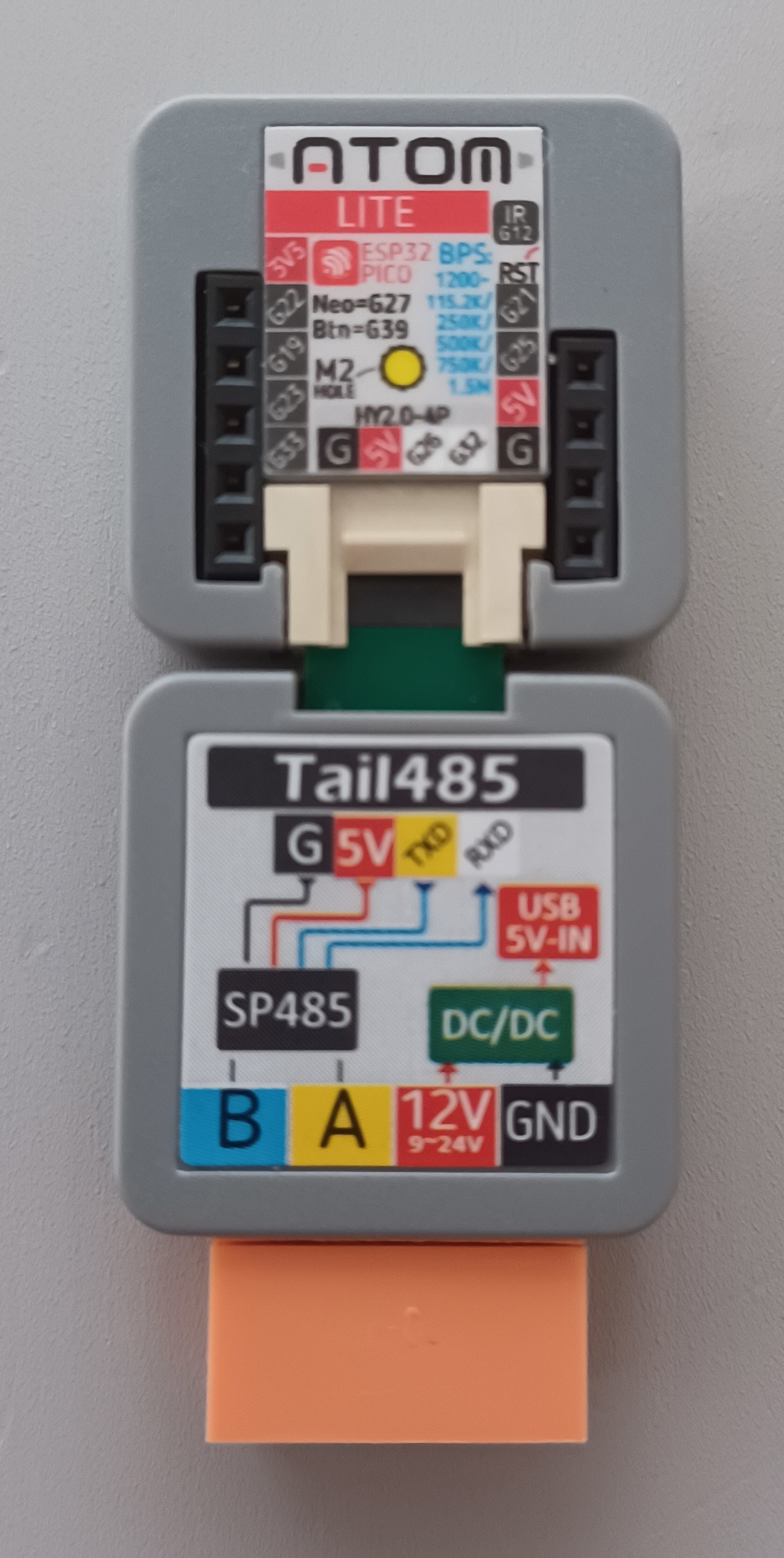
For the final version, we’ll use an M5stack ESP32 with a RS485 tail, in order to have a clean, small and 10v powered device.
Software : Tasmota
With the “Sugar Valley NeoPool module” Tasmota support natively this salt chlorinator.
This option is not compile in the standard version, we’ll need to compile Tasmota in order to compile this functionality.
Tasmota compilation
Install Plateformio :
sudo apt-get install python-pip
sudo pip install -U platformio
Get Tasmota files :
git clone https://github.com/arendst/Tasmota.git
Before compiling, let’s enable the support of the Sugar Valley NeoPool chlorinators :
vim tasmota/my_user_config.h
And modify as follow :
// !!! Remember that your changes GOES AT THE BOTTOM OF THIS FILE right before the last #endif !!!

#ifndef USE_NEOPOOL
#define USE_NEOPOOL
#endif

#endif // _USER_CONFIG_OVERRIDE_H_
Then compile and upload :
platformio run -e tasmota32 --target upload --upload-port /dev/ttyUSB0
Tasmota configurtion
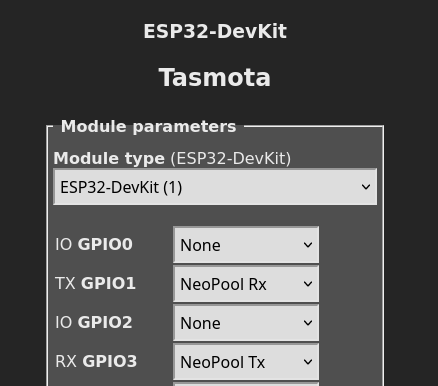
Configure IO as follow :
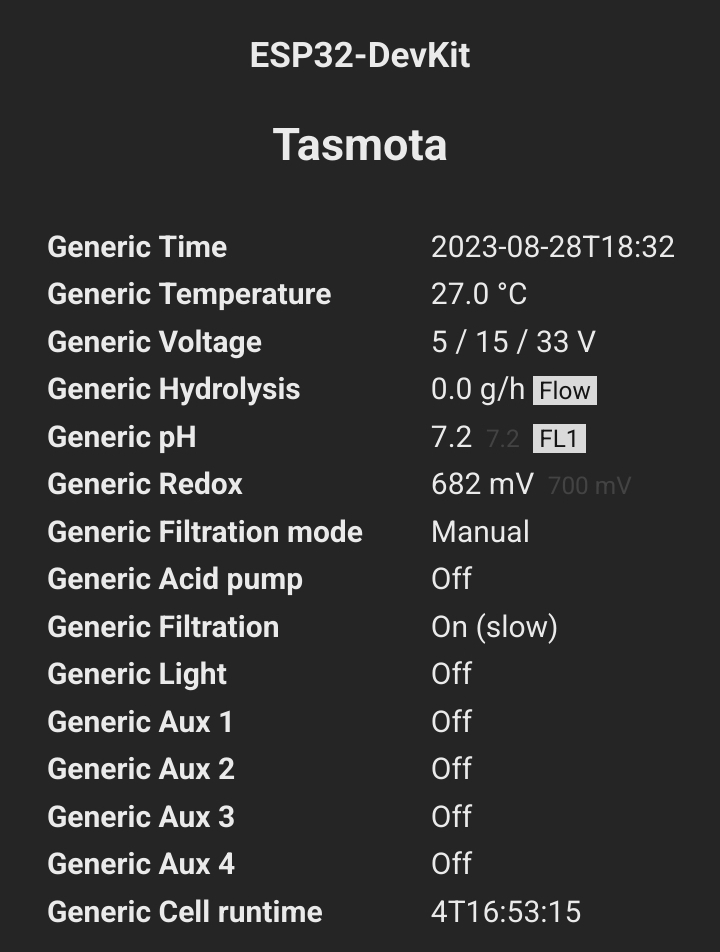
Then wire it, start it and you should be able to use data :
Home assistant integration
Once done, you could process to MQTT integration and have a nice native integration in Home Assistant with Tasmota integration.
You’re done with Hayward Aquarite integration in Home Assistant with Tasmota.